
Let me be straight with you — most so-called “free” crypto tax software isn’t actually free. You track your portfolio, connect all your wallets, sync your exchanges, calculate your gains… and then right when you hit “Download My Tax Report,” boom. A paywall. $49. $99. Sometimes more.
I’ve been there. And it genuinely annoyed me.
So when people ask me, “What is the best free crypto tax software?” — I don’t just throw out a generic list. I’m going to tell you the ones that are actually free to file. Not “free to track.” Not “free to view.” Free to generate and use your IRS-ready forms without paying a dollar.
⚡ Featured Web3 Resource
Verify smart contracts, track on-chain assets, and audit token security instantly using our recommended platform.
Access Verified Web3 Tool →Why Crypto Taxes Feel So Painful (And Why They Don’t Have To)
Here’s the thing most new investors don’t realize: every time you trade one crypto for another, that’s a taxable event. Selling Bitcoin for Ethereum? Taxable. Using USDT to buy an NFT? Taxable. Even earning staking rewards can trigger income tax.
The IRS isn’t joking around with crypto anymore. The crypto fear and greed index may tell you when to buy — but tax season doesn’t care about your sentiment. It comes for everyone.
When I first started managing a larger portfolio with DeFi positions, NFTs, and multiple exchanges, I tried to do it manually in a spreadsheet. That lasted about three hours before I gave up. The volume of transactions — even with just two exchanges — was overwhelming. That’s when I understood why crypto tax software exists. Not as a luxury. As a necessity.
But paying $100+ just to file? That’s not always realistic, especially if you’re still building your portfolio.
The Dirty Secret Most “Free” Tools Hide
Before I give you the actual list, you need to know this — because it’ll save you a lot of frustration.
Almost every popular crypto tax platform, including names you’ve definitely heard of, does this:
- ✅ Free to connect your wallets
- ✅ Free to track your portfolio
- ✅ Free to view your gains/losses on screen
- ❌ NOT free to download your IRS tax forms (Form 8949, Schedule D)
That last step? That’s the one that counts. And that’s the step where most tools charge you.
Koinly does it. CoinLedger does it. TurboTax Crypto does it. They lure you in with “free” and then charge you at the finish line.
So in this article, I’m specifically highlighting the tools that are either 100% free to file or genuinely offer a useful free tier that doesn’t leave you stuck at the last step.
5 Best Actually Free Crypto Tax Software in 2026
1. Crypto.com Tax — The Most Genuinely Free Option
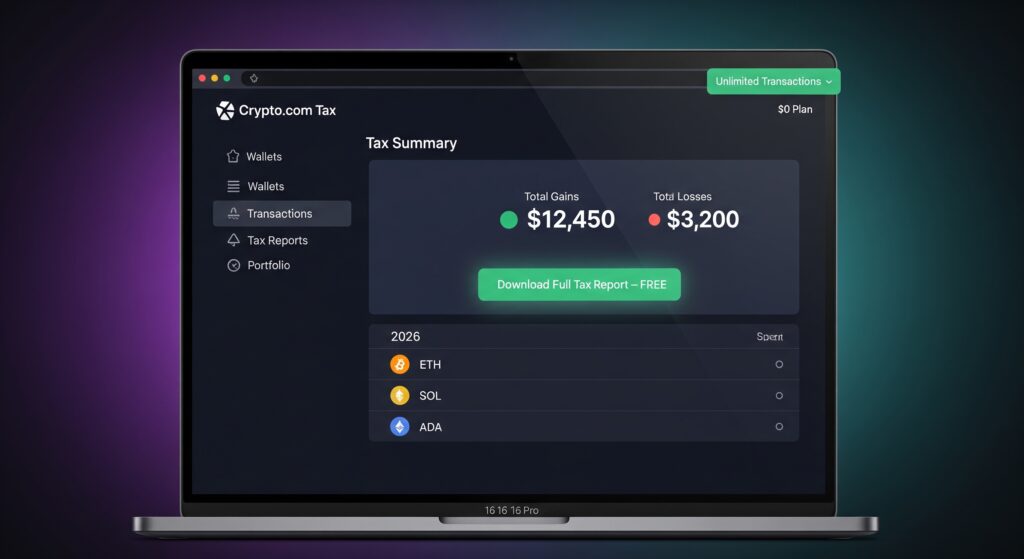
If you want completely free crypto tax software — no asterisks, no “free trial,” no paywall before you download — Crypto.com Tax is the one I recommend first.
It’s 100% free. Not just the tracking. The actual tax report generation. You can connect unlimited wallets, import transactions from 30+ blockchains, and download your complete tax report without spending a single cent.
Why it works:
- Supports DeFi, NFTs, staking rewards, and airdrops
- Exports IRS-ready reports (Form 8949)
- Handles FIFO, LIFO, and HIFO cost-basis methods
- Works on mobile — making it arguably the best free crypto tax software for Android too
- No transaction limits on the free plan
The only real downside? It’s built inside the Crypto.com ecosystem, so it works best if you’re already using their exchange. But it still supports imports from Coinbase, Binance, MetaMask, and others via CSV.
If you’re asking “what is the best crypto tax software that’s actually free,” this is your answer.
2. Coinpanda — Free Up to 25 Transactions

Coinpanda is one of the cleaner tools I’ve used, especially if you’re just starting out or had a relatively quiet trading year. Their free plan covers up to 25 transactions — which honestly covers a lot of people who only made a few trades.
What makes Coinpanda stand out is how smooth the interface is. Connecting wallets is genuinely fast, and the tax summary view gives you a clear breakdown before you commit to anything.
Free plan includes:
- Up to 25 transactions
- Support for 500+ exchanges and 100+ blockchains
- DeFi and NFT tracking
- Portfolio overview and unrealized gains view
- PDF and CSV export on free plan (limited)
If you went over 25 transactions, their paid plans start around $65/year — making it one of the cheapest crypto tax software options in the market if you do need to upgrade.
3. Koinly — Free to Track, Paid to File (But Worth Knowing)

I’m including Koinly here because it’s genuinely excellent — but I also want to be honest with you about where the free plan stops.
Koinly’s free tier lets you track your portfolio, see your gains and losses, and even preview your tax summary. It supports over 700 integrations, which is more than almost anyone else. The auto-sync with exchanges like Coinbase, Binance, and Kraken is one of the best in the business.
But to download your tax report — the actual Form 8949 you need for the IRS — you’ll need to pay. Plans start at $49/year.
So why include it?
Because if you’re using it to plan ahead — figuring out your tax liability before the deadline, deciding whether to harvest losses, or tracking your DeFi positions — the free version gives you real value. You just can’t file directly from the free plan.
Think of Koinly’s free version as your crypto tax calculator free planning tool, and then decide if the report download is worth the cost when April approaches.
Free plan includes:
- Unlimited transaction import and tracking
- Gains/loss preview
- Portfolio performance dashboard
- No tax report download
4. CoinLedger (Formerly CryptoTrader.Tax) — Free Preview, Paywall at Filing
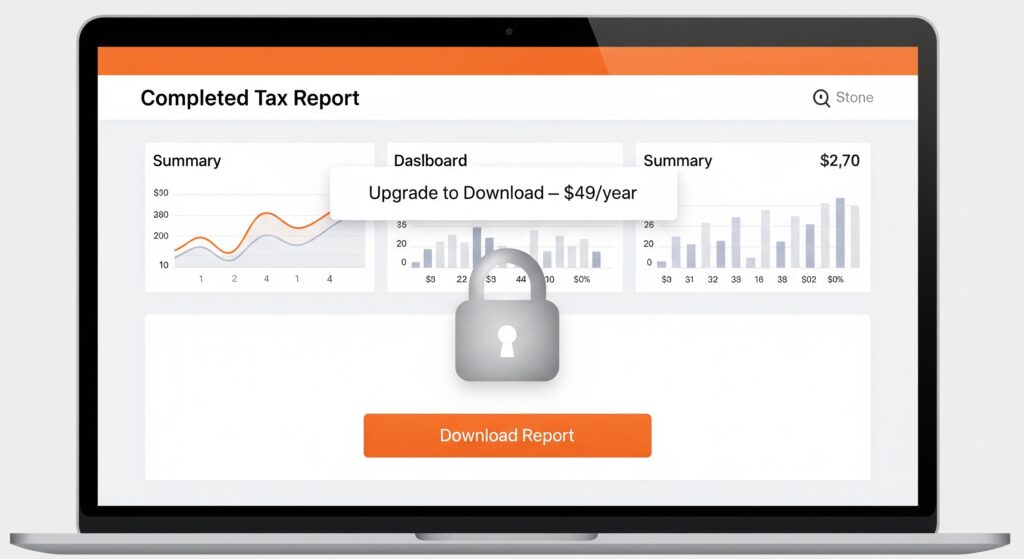
CoinLedger is one of the most well-known names in crypto tax reporting, and for good reason. The platform is polished, the customer support is solid, and it integrates with just about every major exchange and wallet.
Similar to Koinly, the free plan lets you import transactions and see your tax summary — but downloading the actual forms for filing requires a paid plan starting at $49/year.
Where CoinLedger genuinely shines on the free tier:
- Real-time capital gains tracking
- Loss harvesting suggestions
- NFT transaction support
- TurboTax and TaxAct integration (when you’re ready to pay)
Here’s my honest take: if you’re someone who had under $0 in realized gains this year (a loss year), it’s worth reaching out to their team — sometimes they work with users in specific situations. But for most people, if you need to file, you’ll need the paid plan.
Still, as a crypto tax calculator free option for planning? It’s one of the best.
5. ZenLedger — Free Tier for Small Portfolios

ZenLedger doesn’t get talked about enough, honestly. Their free plan covers up to 25 transactions and includes access to their tax loss harvesting tool — which is a genuinely premium feature that most tools charge extra for.
If you’re a smaller investor who wants more than just basic tracking, ZenLedger’s free tier punches above its weight.
Free plan includes:
- Up to 25 transactions
- Tax loss harvesting feature
- DeFi and NFT support
- Grand Unified Accounting (tracks your crypto across all platforms in one view)
- Basic tax report generation
Their paid plans are mid-range, starting around $49/year — again landing in the cheapest crypto tax software category if you do need to scale up.
One thing I genuinely appreciate: ZenLedger is one of the few platforms that still feels like it was built for actual investors, not just designed to get you to upgrade.
Quick Comparison Table
| Software | Free Transactions | Can File for Free? | DeFi/NFT Support | Mobile Friendly |
|---|---|---|---|---|
| Crypto.com Tax | Unlimited | ✅ Yes | ✅ Yes | ✅ Yes |
| Coinpanda | Up to 25 | ✅ Yes (limited) | ✅ Yes | ✅ Yes |
| Koinly | Unlimited | ❌ No (preview only) | ✅ Yes | ✅ Yes |
| CoinLedger | Unlimited | ❌ No (preview only) | ✅ Yes | ✅ Yes |
| ZenLedger | Up to 25 | ✅ Yes (limited) | ✅ Yes | ✅ Yes |
What to Look For in Free Crypto Tax Software
Not all free tools are built equally. When I evaluate any free crypto tax software, here’s what I check first:
1. Does it actually let you file for free? Not just track. Not just preview. Actually generate and export the forms you need.
2. How many transactions does the free plan cover? If you made 200 trades last year, a “free” plan capped at 25 transactions doesn’t help you.
3. Does it support your specific crypto activity? DeFi, staking, NFTs, airdrops — these all require different tax treatment. Make sure the tool you pick understands your situation. The tax rules around smart contracts on blockchain are still evolving, and your software should keep up.
4. Is it updated for 2026 IRS rules? Tax law changes. Software that was accurate in 2024 might misclassify transactions in 2026. Always verify your tool is updated.
5. What wallets and exchanges does it support? If you’re using a crypto wallet across multiple chains, make sure your software supports all of them. The best tools support 500+ integrations.
My Personal Take — What I’d Actually Use
If I had to pick just one tool to recommend to someone who wants to file their crypto taxes without spending a cent: Crypto.com Tax.
It’s the only platform in this list that gives you unlimited transactions AND a fully downloadable tax report for free. No paywall. No teaser. Just your report, ready to go.
If you had fewer than 25 transactions this year, Coinpanda or ZenLedger are also excellent choices — cleaner UI, great exchange support, and fully functional on the free tier.
And if you’re planning ahead — doing tax loss harvesting, figuring out your dollar-cost averaging exit points, or trying to estimate next year’s liability — Koinly’s free tracker is genuinely one of the best tools available, even if you have to pay to download the report.
For a broader look at all your options, including premium tools worth the investment, check out our 6 Best Crypto Tax Software guide.
FAQ — Best Free Crypto Tax Software
Q: Is there any truly free crypto tax software?
Yes. Crypto.com Tax is 100% free — unlimited transactions, full tax report download, no paywall. Coinpanda and ZenLedger also offer genuinely free plans for up to 25 transactions.
Q: What is the best free crypto tax software for Android?
Crypto.com Tax works well on mobile browsers, making it the best free crypto tax software for Android users. Most other platforms also have mobile-responsive dashboards, though dedicated apps are limited.
Q: Can I use free crypto tax software for DeFi and NFTs?
All five tools on this list support DeFi and NFT transactions to varying degrees. Crypto.com Tax and ZenLedger are particularly strong in this area on the free tier.
Q: Does free crypto tax software work for IRS filing?
Yes — but only if the software lets you export IRS-compatible forms (Form 8949, Schedule D). Crypto.com Tax does this for free. Koinly and CoinLedger let you preview but require payment to download.
Q: What is the cheapest crypto tax software if I need to upgrade?
Koinly, CoinLedger, Coinpanda, and ZenLedger all start at around $49/year — making them the cheapest crypto tax software options if you go beyond the free tier.
Q: Is crypto taxed if I don’t sell?
Holding crypto is not a taxable event. But trading, selling, spending, or earning crypto (staking rewards, airdrops) typically is. Learn more about how crypto markets work in our bear and bull market guide.
Final Thought
Paying taxes isn’t optional — but overpaying for software to do it is. The tools exist. You just need to know which ones are actually free versus which ones are “free until the last step.”
Start with Crypto.com Tax. If it covers your needs, you’re done — zero dollars spent. If you need more integrations or a cleaner interface, Coinpanda and ZenLedger are right there waiting.
Tax season doesn’t have to be the worst part of investing in crypto. With the right free tool in your corner, it can be just another item crossed off your list — quickly, accurately, and without spending a cent.
You didn’t get into crypto to hand money to tax software companies. So don’t.
External Reference: IRS Virtual Currency Guidance — for the official IRS rules on how crypto transactions are taxed.
External Reference: CoinLedger Crypto Tax Guide 2026 — a detailed breakdown of crypto tax rules updated for 2026.

Ammar Malik is an independent digital asset researcher and the founder of AmmarMagazine. He specializes in analyzing on-chain security and evaluating technical tools. Through clear, objective crypto resources, Ammar Malik delivers accessible Web3 education to help everyday users navigate the market safely.